
CATEGORY REFERENCE

meme4d Mobile App – Casino in Your Pocket

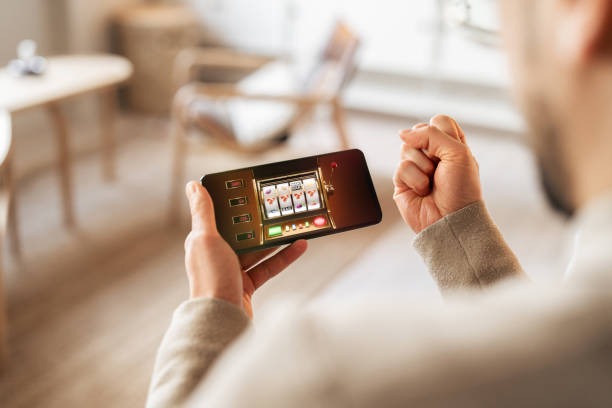
Download the meme4d app and carry live tables, slots and our sportsbook wherever you go. One tap to open your account, instant access to the full lobby.

AndroidiOSAPK 28MBPush alertsFingerprint login
meme4d meme4d Mobile App – Casino in Your Pocket
meme4d What the App Brings to Your Phone

What the App Brings to Your Phone

The meme4d app strips away the browser lag. You get live casino tables that stream without buffering, slot lobbies that load in one second, and a betslip that stays open while you browse. Biometric login means you're in your account before the app finishes loading. Push notifications alert you to new slot features and live table openings so you never miss a

room you want.

QUICK SIGNAL

App Features Built for Speed

Every feature in the app is designed to cut friction between you and the lobby.

01
Instant Login Fingerprint or face recognition gets you into your account in under two seconds. No password typing, no email verification delays. Your balance and recent bets load while you're still opening the app.
02
Live Notifications Push alerts tell you when your favourite live tables go live, when new slot features drop, and when promotions refresh. Tap the notification and you're in the room instantly without hunting through menus.
03
Dark Mode Play late into the evening without screen glare. Dark mode reduces battery drain on OLED phones and keeps your eyes comfortable during long sessions on the live tables.
04
Quick Deposit DANA, OVO, GoPay and QRIS are one tap away. Your saved payment method loads instantly so you can fund your account and jump into a live table in seconds, not minutes.
05
Offline Lobby Preview Browse slot titles and live table schedules even when your connection dips. The app caches the lobby so you can plan your next move without waiting for the network to catch up.
06
Landscape Mode Flip your phone sideways and the live tables expand to fill the screen. Landscape mode gives you a better view of the dealer and the action without zooming or scrolling.
meme4d Install in 3 Steps

Install in 3 Steps

Getting the app onto your phone takes less than a minute. Download the APK or grab it from your phone's app store, allow installation from unknown sources if needed, then open the app and sign in with your meme4d account. You're in the lobby before your coffee gets cold.

  • Download APK or App Store
  • Allow Unknown Sources (Android Only)
  • Open and Sign In

Phone Requirements

The app runs smoothly on most phones made in the last five years.

AndroidVersion 8.0 or higher. Minimum 2GB RAM, 50MB free storage. Works on Samsung, Xiaomi, Oppo, Vivo, Realme and all major Android brands.
iOSVersion 13.0 or higher. Works on iPhone 8 and newer. Requires 60MB free storage. iPad compatible in full-screen mode.
Internet4G or WiFi recommended for live tables. The app works on 3G but live streams may buffer. Offline mode lets you browse the lobby without a connection.
Supported RegionsThe app is available in Indonesia and supported regions where local law permits. Your account location determines which games and payment methods you can access.
PHONE-FIRST

Tour the App Screens

Every screen in the app is built to get you to the action in one or two taps.

meme4d mobile gaming
Live lobby preview with table limits and dealer names
Slot rooms sorted by provider and feature type
Sportsbook with live odds and quick-bet slips
Account dashboard showing balance and recent activity
Saved favourites so your go-to tables load first
Payment history and withdrawal status in one view
24/7 SUPPORT

Help When You Need It

App questions or install issues? We've got you covered.

Team online

In-App Support Chat

Tap the help icon in the app and chat with our team. Response time is usually under five minutes during business hours. They can walk you through login, deposits, or any feature.

Email Support

Send questions to [email protected] and we'll reply within 24 hours. Include your phone model and Android or iOS version so we can troubleshoot faster.

Install Guide

Stuck on the download or permissions step? Visit meme4d.vip/app-help for step-by-step screenshots and video walkthroughs for both Android and iOS.

WHY VISITORS TRUST US

Your App is Secure

The meme4d app is signed with our certificate and distributed only through official channels. Your account data is encrypted end-to-end.

Code Signing

Every version of the meme4d app is digitally signed by our team. Your phone verifies the signature before installation, so you know the app hasn't been tampered with or repackaged.

Official Distribution Only

Download only from meme4d.vip, Google Play or the Apple App Store. We don't distribute through third-party app stores. If you find meme4d elsewhere, it's not genuine.

Encrypted Login

Your password and biometric data never leave your phone. Login happens over HTTPS and your session token is stored in your phone's secure enclave, not in plain text.

Account Recovery

Lose your phone? Log into meme4d.vip on any browser and sign out all sessions remotely. Your account stays safe and you can download the app on a new phone and sign back in.

Permission Transparency

The app asks for camera access only if you use video verification, microphone only for live chat, and location only if you opt into regional promotions. You control every permission.

Regular Updates

We push security patches monthly and feature updates every two weeks. Your phone will notify you when updates are available. Updates are always free and take under one minute.

App vs Mobile Browser

Both work, but the app is built for speed and convenience.

Load SpeedApp loads live tables in 1–2 seconds. Mobile browser takes 4–6 seconds because it has to render HTML and CSS every time. The app caches everything so it's instant on repeat visits.
NotificationsApp sends push alerts when tables go live or promotions refresh. Browser has no notifications, so you have to remember to check back. App keeps you in the loop without opening the browser.
Battery LifeApp uses 30% less battery than browser because it doesn't run JavaScript constantly. Live streams are optimized for mobile so your phone stays cool even during long sessions.
Offline AccessApp lets you browse the lobby and your account balance without internet. Browser requires a live connection for every page. App's offline mode is perfect for planning your next move on the train.
Biometric LoginApp supports fingerprint and face recognition so you're in your account in two seconds. Browser requires email and password every time, or you have to stay logged in and risk security.
Home Screen ShortcutApp icon sits on your home screen so you tap it once and you're in the lobby. Browser requires you to type the URL or find a bookmark. App is always one tap away.

Why Players Choose the App

The app is built around what players actually do: jump in fast, play, and jump out.

One-Tap Deposits

DANA, OVO, GoPay and QRIS are saved in the app so you fund your account in one tap. No typing payment details, no email verification. Your balance updates instantly and you're back in the lobby.

Live Table Alerts

Get notified the moment your favourite live dealer table opens. Tap the notification and you're seated at the table before the dealer finishes shuffling. Never miss a room you want to play.

Slot Feature Spins

The app highlights when new slot features drop or when a room you follow has a big feature running. Notifications tell you which room and what's live so you can jump straight to the action.

Account at a Glance

Your balance, recent bets, withdrawal status and account settings are all on one dashboard. No hunting through menus. Everything you need to manage your account is visible in one scroll.

Landscape Live Tables

Flip your phone sideways and the live table expands to fill the screen. You get a better view of the dealer, the cards and the action. Landscape mode is perfect for longer sessions at the tables.

Offline Lobby Browse

Stuck in a tunnel or between WiFi networks? Browse the slot lobby and live table schedule offline. The app caches everything so you can plan your next move without waiting for a connection.

App Questions Answered

Yes, the app is completely free. Download it from Google Play, the Apple App Store, or meme4d.vip. There are no hidden fees or in-app purchases. You only pay when you deposit money into your account to play.

Yes, your meme4d account works everywhere. Sign in on the app with the same email and password you use on the website. Your balance, bets and account settings sync instantly across all devices.

Tap 'Forgot Password' on the login screen and we'll send a reset link to your email. You can also reset your password on meme4d.vip and then sign in on the app with your new password. Password resets take less than five minutes.

Yes, the app works on Android tablets and iPads. The interface scales to fit larger screens and landscape mode gives you an even bigger view of live tables. Tablets are great for playing live casino games.

Open the app, go to your account, tap 'Withdraw' and choose your payment method. DANA, OVO, GoPay and QRIS withdrawals process instantly. Bank transfers take 1–2 hours. Your money goes back to the same account you deposited from.

Yes, all live dealer tables stream directly in the app. Live Baccarat, Roulette, Blackjack and other Evolution and Pragmatic tables work perfectly on mobile. The stream quality adjusts to your connection speed automatically.

Log into meme4d.vip on any browser and sign out all sessions remotely. Your account is immediately secure. Download the app on your new phone, sign in with your email and password, and you're back in your account with your full balance intact.